How people opt in to FLEE texts
FLEE is an iPhone app by LYTE App, LLC. We send transactional texts only, never marketing. There are two groups of recipients, and each one agrees for themselves before we text them.
1. Allies: a web form
A FLEE user adds a friend (an "ally") in the app. We send nothing at that point. The user sends the friend an invite link from the user's own phone. The friend opens it and sees this page: live sample of the invite page.
- The page explains what being an ally means.
- The friend types their own mobile number into the form.
- Before anything is texted, the friend must tick an unchecked box next to this exact wording:Links to our Text Message Terms, Privacy Policy and Terms of Service sit directly below the box.
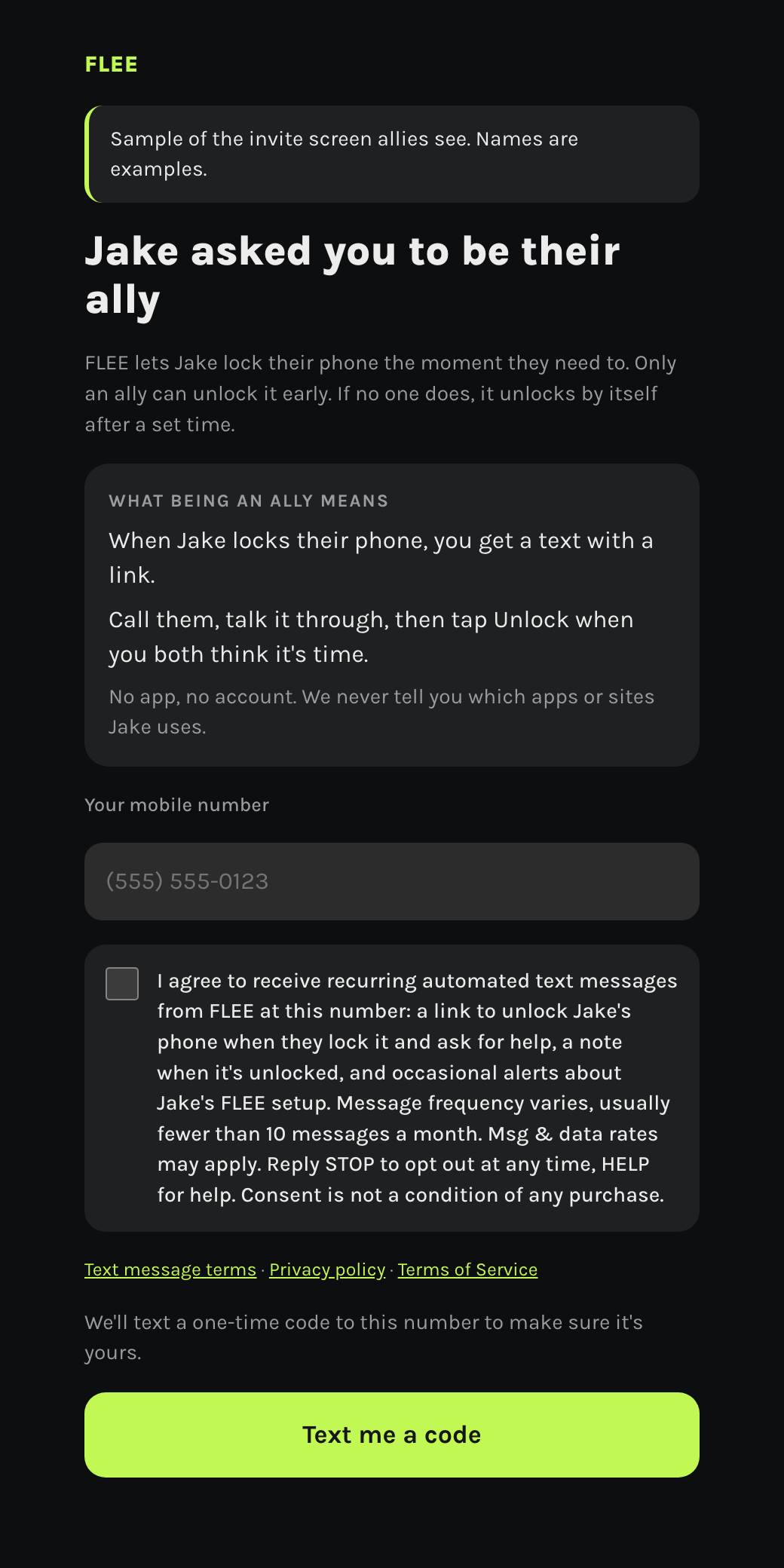
- They tap "Text me a code". We send one verification code to the number they typed, to confirm it's theirs. They enter it, tick the box again and tap Accept.
- Only then do they get texts, starting with this confirmation:FLEE: You're now Jake's ally. When they lock their phone and ask for help, we'll text you a link to unlock it. Msg frequency varies, usually under 10/month. Msg & data rates may apply. Reply HELP for help, STOP to opt out.
We store the consent wording, time, IP address and browser for every acceptance.
2. App users: the sign-in screen
A person signs up in the FLEE iPhone app by entering their own name and mobile number. Under the number, before the Continue button, the app shows this exact wording, with Terms and Privacy Policy as links:
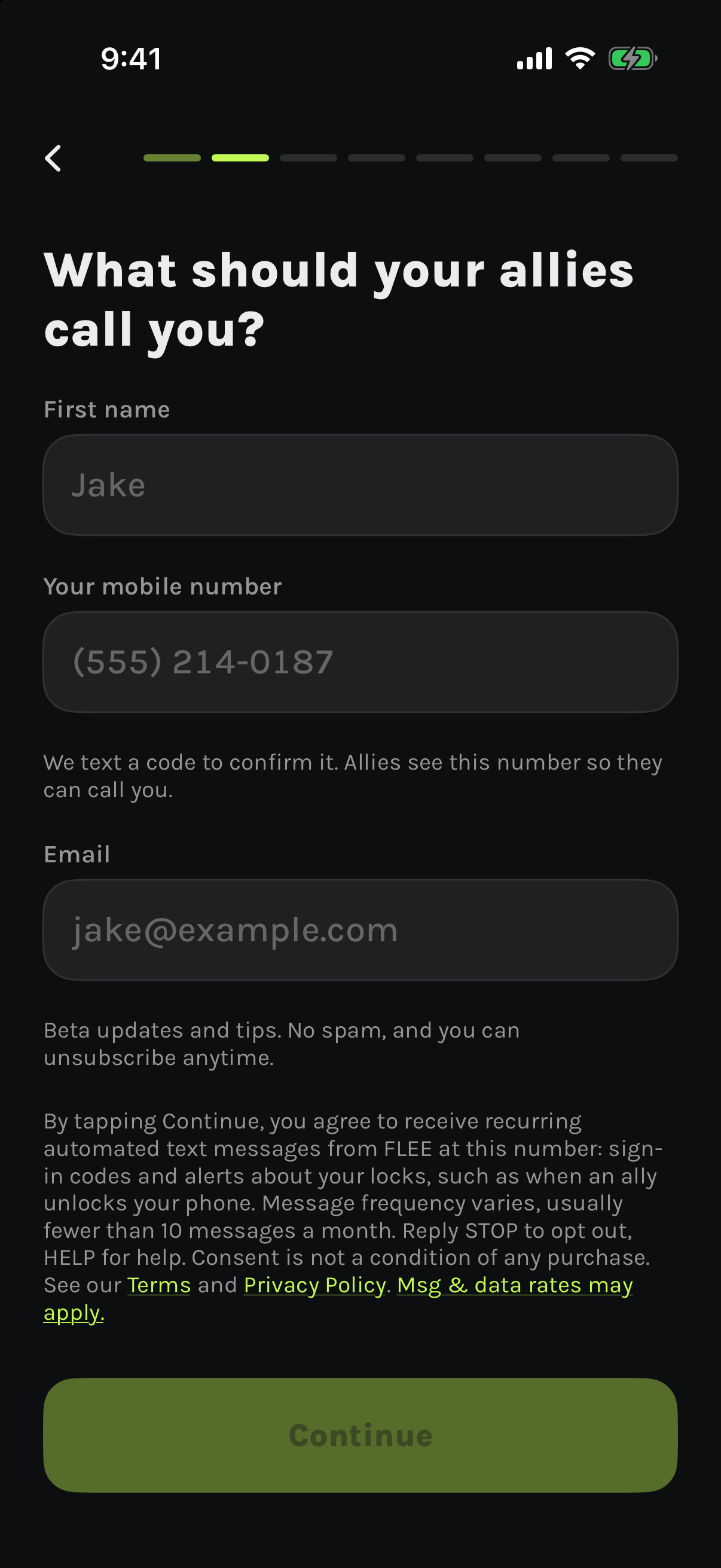
Tapping Continue sends a sign-in code to that number. They get texts only about their own account and locks.
Message types and frequency
- To allies: a text with an unlock link when the user locks their phone and asks for help, a note when it's unlocked, and rare alerts about the user's setup.
- To users: sign-in codes, and a text when an ally unlocks their phone.
- Message frequency varies with how often the user locks their phone, usually fewer than 10 messages a month. Msg & data rates may apply.
Opt out and help
Reply STOP to any message to stop all texts. Reply HELP for help, or email hello@asklyte.ai. Full terms: getflee.app/sms.